Finding the right HDMI extender depends on more than cable length. A short HDMI extension cable or coupler can solve a tight installation, while an Ethernet-based extender is better for routing signals across rooms.
This roundup compares 10 HDMI extenders across 4K and 8K support, bandwidth, distance, control features, and installation requirements so you can choose the right fit without paying for unnecessary hardware.
Best 10 Hdmi Extenders Picks for 2026
Best Cable Upgrade
Highwings 8K HDMI Extension Cable
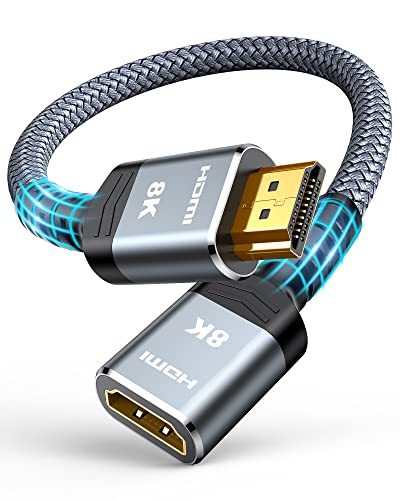
- Supports 8K/60Hz and 4K/120Hz
- 48Gbps bandwidth with HDR and ARC
- Flexible, durable 1-foot male-to-female design
Best For: Short HDMI extensions for gaming and home theaters
Best Long-Range 4K Pick
OREI HDMI Over Ethernet Extender

- Extends 4K signals up to 230 feet
- Supports 4K/60Hz, HDR10+, and HDCP 2.2
- PoC simplifies installation with transmitter-only power
Best For: Long-distance home theater and commercial installations
Best Two-Pack Coupler

- Supports 8K/60Hz and 4K/120Hz
- Shielded aluminum housing with gold-plated contacts
- Two female-to-female adapters included
Best For: Joining HDMI cables in home, office, or travel setups
Best Full-HD Distance Value

- Extends 1080p/60Hz up to 200 feet
- Zero-latency transmission over Cat5e/6
- Supports 3D and Dolby digital audio
Best For: Long-range Full-HD installations using Ethernet cable
Best Value Cable Kit
Cable Matters 4K HDMI Extension Cables

- Two 6-foot male-to-female cables
- Supports 4Kx2K and 18 Gbps
- Includes ARC, 3D, and multichannel audio support
Best For: Nearby TV, monitor, and projector connections
Best Long-Distance Setup

- Reaches 230 feet at 1080p
- Supports 4K@30Hz up to 131 feet
- Adds IR, loop out, EDID, and PoC
Best For: Long HDMI runs in theaters, classrooms, and signage
Best 8K Coupler Pack
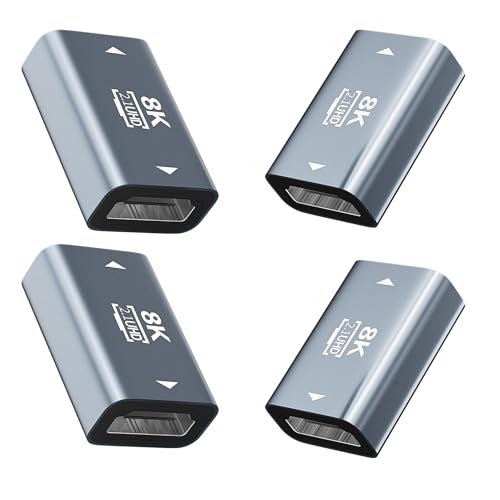
- Four female-to-female HDMI couplers
- Supports 8K@60Hz and 4K@120Hz
- No power or drivers required
Best For: HDMI 2.1 gaming, TV, PC, and monitor setups
Best 8K Gaming Extension
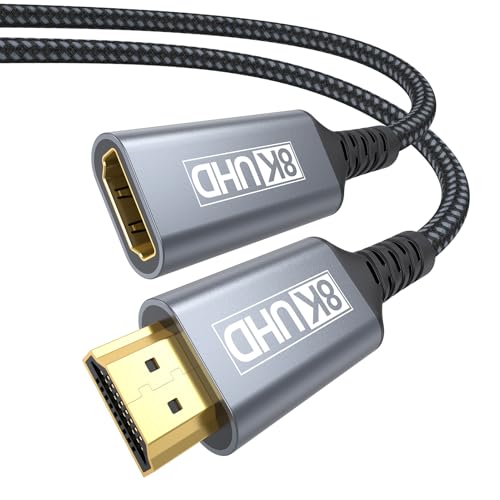
- 8K@60Hz and 4K@120Hz support
- 48Gbps bandwidth with VRR and ALLM
- Braided, shielded, durable construction
Best For: High-refresh-rate gaming and longer behind-TV cable runs
Best Compact HDMI 2.1 Pick
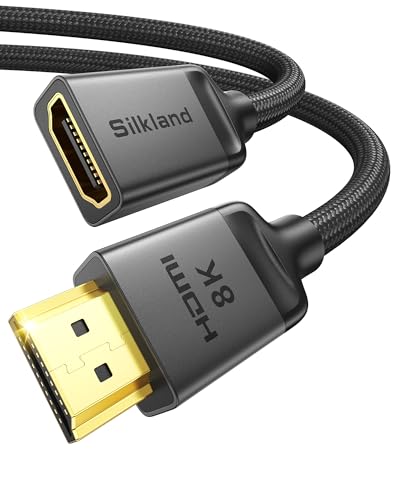
- 8K@60Hz and 4K@120Hz video
- Compatible with HDMI 2.0 and 1.4 gear
- Includes 2-year replacement service
Best For: Short extensions in tight TV and media-cabinet setups
Best Value 4K Extension

- 4K@60Hz with 18Gbps bandwidth
- Supports HDR, 3D, ARC, and Dolby Atmos
- Compact design for hard-to-reach ports
Best For: Everyday 4K TVs, consoles, and streaming devices
Best Cable Upgrade – Highwings 8K HDMI Extension Cable
For short-distance HDMI extenders, the Highwings male-to-female cable is a straightforward way to add reach while retaining support for newer high-bandwidth video formats. Its 1-foot length suits gaming setups, home theaters, and tight spaces where a port-saving extension is useful.
Best For: Gamers and home-theater users who need a compact HDMI 2.1 extension for 8K or high-refresh-rate 4K devices.
Pros:
- Supports up to 48Gbps bandwidth, 8K at 60Hz, and 4K at 120Hz.
- Compatible with HDR, ARC, 3D, HDMI Ethernet Channel, and 48-bit color depth.
- Flexible nylon design, gold-plated ports, and rated durability of up to 25,000 flexes.
- Simple male-to-female plug-and-play installation.
Cons:
- The 1-foot length is intended for short extensions only.
- It is an extension cable rather than a long-distance HDMI-over-network solution.
The Highwings is a practical choice when you want modern HDMI 2.1 capability without replacing an existing cable. Choose it for nearby devices, not for extending signals across rooms.
Best Long-Range 4K Pick – OREI HDMI Over Ethernet Extender
The OREI is one of the more capable HDMI extenders for sending a 4K signal between rooms or across a larger installation. It uses a single Cat6, Cat6A, or Cat7 cable and includes transmitter and receiver units for a cleaner long-distance setup.
Best For: Home theaters, conference rooms, monitoring systems, and other installations needing 4K transmission up to 230 feet.
Pros:
- Extends HDMI signals up to 230 feet over one Cat6/7 cable.
- Supports 4K at 60Hz, HDMI 2.0a, HDCP 2.2, HDR10+, and 18Gbps bandwidth.
- Supports Dolby Digital audio and zero-latency signal transmission.
- Power over Cable requires power only at the transmitter.
Cons:
- Requires a separate Cat6, Cat6A, or Cat7 cable run.
- Supports one-way IR rather than a more flexible multi-zone control setup.
With its long reach, 4K60 support, and PoC design, the OREI is a strong fit for permanent or semi-permanent installations. Its included 12-month warranty and compact metal housings add practical value.
Best Two-Pack Coupler – VCELINK 8K HDMI Couplers
These compact VCELINK HDMI extenders connect two HDMI cables when a longer cable is needed. The two-pack is useful for home offices, living rooms, or travel kits, especially when running a new cable through a tight or complicated space is inconvenient.
Best For: Users who already have HDMI cables and need a simple female-to-female connection with 8K and high-refresh-rate support.
Pros:
- Supports 8K at 60Hz and 4K at 120Hz.
- Compatible with VRR, HDR, Dolby sound, and standard HDMI devices.
- Shielded aluminum housing helps resist interference and wear.
- Two adapters provide a spare for another setup.
Cons:
- Requires two existing HDMI cables to create the extension.
- It is a passive coupler and does not amplify or convert the signal.
- Not designed as a complete HDMI-over-Ethernet system for room-to-room runs.
The VCELINK is a convenient, space-saving option when your main need is joining two HDMI cables. It offers modern format support in a small package, but cable quality and total cable length still matter.
Best Full-HD Distance Value – J-Tech Digital HDMI Balun
The J-Tech Digital HDMI balun is a dependable choice among HDMI extenders for sending Full HD video over existing Cat5e or Cat6 wiring. It supports zero-latency transmission up to 200 feet and includes EDID copy functionality to help with display compatibility.
Best For: Full-HD home theater, signage, monitoring, and other installations where 1080p transmission matters more than 4K support.
Pros:
- Extends 1080p at 60Hz up to 200 feet over a single Cat5e/6 cable.
- Provides zero-latency transmission for real-time video.
- Supports HDMI 1.4, HDCP 1.2/1.4, 3D, and 36-bit Deep Color.
- Supports Dolby TrueHD and Dolby Digital audio formats.
Cons:
- Maximum video resolution is Full HD rather than 4K.
- Cat6 or Cat7 cable is recommended for the best long-distance performance.
- EDID copy may be required for compatibility with some displays.
If your source and display are both 1080p, the J-Tech Digital balun offers useful distance without paying for 4K features you may not need. It is best suited to established Ethernet-cable runs and budget-conscious installations.
Best Value Cable Kit – Cable Matters 4K HDMI Extension Cables
For simple, in-room HDMI extenders, this two-pack from Cable Matters adds 6 feet to each existing connection. It supports up to 4Kx2K resolution, 18 Gbps bandwidth, ARC, 3D video, and high-quality multichannel audio, making it a practical choice for home theaters, offices, and conference rooms.
Best For: Extending HDMI connections between TVs, monitors, projectors, and nearby source devices.
Pros:
- Includes two 6-foot male-to-female extension cables.
- Supports 4Kx2K, HDMI 2.0 bandwidth up to 18 Gbps, ARC, and 3D video.
- Gold-plated connectors, copper conductors, and shielding help reduce interference.
Cons:
- Offers only a 6-foot extension per cable.
- It is a cable extension rather than a long-distance HDMI-over-network solution.
This is the straightforward option for users who need extra HDMI reach without adding powered hardware. The two-pack also provides a spare for another room or setup.
Best Long-Distance Setup – OREI HDMI Extender Over Cat5
Among HDMI extenders for longer runs, the OREI EX-170C sends uncompressed video and audio over a direct CAT5e, CAT6, or CAT7 cable. It reaches up to 230 feet at 1080p or 131 feet at 4K@30Hz, while adding IR control, local loop-out monitoring, EDID copy, and one-adapter PoC power.
Best For: Home theaters, conference rooms, classrooms, digital signage, and CCTV installations requiring extended HDMI runs.
Pros:
- Extends 1080p up to 230 feet and 4K@30Hz up to 131 feet over a single cable.
- Provides one-way IR pass-through for remote source control.
- Includes HDMI loop out, EDID copy, and Power over Cable for cleaner installation.
- Metal housing and included transmitter, receiver, IR cables, adapter, and manual support a complete setup.
Cons:
- Supports 4K only at 30Hz, not 4K@60Hz.
- Requires a direct CAT5e/6/7 connection and should not be used through network switches or routers.
- Not compatible with HDMI ARC.
This is the more capable choice when distance and installation features matter. Verify the required resolution, refresh rate, cable path, and ARC needs before choosing it.
Best 8K Coupler Pack – BMKZAYR HDMI 2.1 Couplers
These compact HDMI extenders join two standard HDMI cables through female-to-female HDMI 2.1 connections. The four-pack supports up to 8K@60Hz and 4K@120Hz, along with HDR, ARC, VRR, 3D, and Dolby sound, making it useful for flexible cable routing around TVs, PCs, consoles, and monitors.
Best For: Extending or reorganizing HDMI 2.1 cable connections in home, office, travel, and gaming setups.
Pros:
- Four-pack provides couplers for multiple rooms or backup use.
- Supports 8K@60Hz, 4K@120Hz, HDR, VRR, ARC, and 3D according to the supplied specifications.
- Plug-and-play design requires no drivers or external power.
- Shielded aluminum construction and gold-plated contacts help support stable connections.
Cons:
- Requires two HDMI cables; it does not include a complete extension cable.
- Actual performance depends on the connected cables and devices.
This pack is convenient when you already own HDMI cables and need female-to-female adapters for extra reach or tighter layouts. It is especially appealing for setups using high-refresh-rate or high-resolution devices.
Best 8K Gaming Extension – 6-Foot HDMI 2.1 Extender
For shoppers comparing HDMI extenders for a high-performance home theater or gaming setup, this 6-foot male-to-female cable adds useful reach without sacrificing HDMI 2.1 features. It supports 8K video, high-refresh-rate gaming, eARC audio, and broad device compatibility.
Best For: Extending connections behind wall-mounted TVs, gaming consoles, streaming devices, and other HDMI equipment where extra length and high bandwidth are important.
Pros:
- Supports 8K at 60Hz, 4K at 120Hz, 48Gbps bandwidth, HDR10, and 3D.
- Handles gaming features including VRR, ALLM, and QFT for smoother gameplay.
- Supports eARC and high-bitrate formats such as Dolby Atmos and DTS.
- Braided construction, triple shielding, gold-plated connectors, and an anti-bending tail improve durability.
Cons:
- Its 6-foot length may be more cable than needed for very compact installations.
- Designed for indoor use only.
This is a strong choice when you want a long HDMI 2.1 extension with gaming-focused features and 8K support. Its durable construction also suits setups where the cable may be routed or repositioned frequently.
Best Compact HDMI 2.1 Pick – Silkland 3.3-Foot Extender
This 3.3-foot HDMI extender is a practical option when you need a little more reach without adding excessive cable behind a TV or inside a media cabinet. It combines HDMI 2.1 bandwidth with 8K video, eARC audio, and compatibility with older HDMI equipment.
Best For: Compact home theater, streaming-stick, console, monitor, and wall-mounted-TV setups that need a short, high-speed male-to-female extension.
Pros:
- Supports 8K at 60Hz, 4K at 120Hz, 48Gbps bandwidth, dynamic HDR, and 3D.
- eARC support enables high-quality audio formats including Dolby Atmos.
- Compatible with HDMI 2.0 and 1.4 equipment as well as newer HDMI 2.1 devices.
- Nylon braiding, triple shielding, gold-plated connectors, and a 2-year replacement service support dependable use.
Cons:
- The 3.3-foot version may not provide enough reach for larger installations.
- Very thin standard HDMI cables may cause black-screen or compatibility issues when paired with this extender.
Choose this model if a short extension is the priority and you want modern HDMI 2.1 performance. Be sure to follow the connection guidance and pair it with a suitable standard HDMI cable.
Best Value 4K Extension – VCE Short HDMI Extender
For straightforward HDMI extenders that solve tight-port and short-distance problems, this VCE male-to-female cable supports 4K at 60Hz with 18Gbps bandwidth. It is suited to everyday TVs, streaming devices, consoles, projectors, and home theater equipment.
Best For: Extending hard-to-reach HDMI ports behind TVs, in compact media cabinets, and across general home theater, gaming, and conference setups.
Pros:
- Supports 4K at 60Hz, 18Gbps bandwidth, HDR, 3D, Dolby Atmos, and ARC.
- Works with standard HDMI devices including consoles, streaming sticks, laptops, projectors, and Blu-ray players.
- Gold-plated connectors and braided, foil-shielded construction help resist corrosion and interference.
- Includes a dust cap and 18-month product care with customer assistance.
Cons:
- It is an HDMI 2.0 extender, so it does not offer the 8K and 48Gbps capabilities of the newer models.
- The short 5.5-inch length is intended for port access rather than long-distance extension.
This is a sensible pick for standard 4K systems where a compact extension is more important than HDMI 2.1 performance. Its broad compatibility makes it useful for mixed-device AV setups.
How We Picked the Best Hdmi Extenders
We organized these Hdmi Extenders by the type of connection they support and the problem they solve. The selection includes simple male-to-female cables, HDMI 2.1 couplers, and active transmitter-and-receiver kits that send video over Cat5e or Cat6 Ethernet cable. We also considered stated resolution and refresh-rate support, HDMI version, bandwidth, signal distance, power requirements, and useful features such as IR pass-through, EDID management, PoC, and loop-out connections.
Specifications should be matched to your entire setup, including the source device, display, HDMI cables, and content. A product labeled for 8K may still require compatible HDMI 2.1 equipment at both ends to deliver 8K at high refresh rates.
Quick Comparison
- Short extension: Choose a passive HDMI extension cable or female-to-female coupler when you only need a few extra feet.
- Modern gaming and 8K: Look for HDMI 2.1, 48Gbps bandwidth, 4K at 120Hz, or 8K at 60Hz support.
- Long-room installation: Use an active HDMI-over-Cat5e/Cat6 extender for runs measured in dozens or hundreds of feet.
- Remote equipment: Prioritize IR pass-through, EDID features, and PoC when the source and display are far apart.
Key Buying Factors for Hdmi Extenders
Distance and Extender Type
Passive cables and couplers are inexpensive and easy to install, but they are intended for short extensions. For longer distances, an Ethernet-based HDMI extender uses separate transmitter and receiver units with Cat5e or Cat6 cable. Check whether the advertised distance applies to the resolution and refresh rate you need.
Resolution, Refresh Rate, and Bandwidth
For standard streaming and office use, 4K at 30Hz may be sufficient. Gamers and users with high-refresh displays should seek 4K at 120Hz support. HDMI 2.1 models with up to 48Gbps bandwidth are the better choice for current consoles, gaming PCs, HDR, variable refresh rates, and 8K displays.
Installation and Control Features
Check whether the extender needs power at one or both ends. Power over Cable can simplify installation, while IR pass-through lets you control a remote source. EDID copying can help resolve compatibility problems between a source and display, and a loop-out port may allow local monitoring.
Connector and Cable Quality
Confirm that you need a male-to-female cable, a female-to-female coupler, or a complete extender kit. Keep connections secure and avoid stacking multiple adapters, especially with high-bandwidth 4K or 8K signals.
Who Should Buy Which Hdmi Extenders?
Choose a short extension cable for a wall-mounted TV, monitor, projector, or console that is only slightly out of reach. Choose an HDMI 2.1 coupler when you already have a suitable cable and need a compact connection point.
Choose a long-distance Cat5e/Cat6 extender for installations between rooms, equipment racks, conference areas, or ceiling-mounted displays. Buyers who need dependable 4K performance over long runs should favor models with EDID, IR, and clearly stated distance limits. For gaming or 8K home theater, prioritize 48Gbps HDMI 2.1 support throughout the signal path rather than relying on the extender label alone.