A quiet laptop can make focused work, study, video calls, and entertainment more comfortable—especially in shared spaces, libraries, and bedrooms. This roundup compares 10 options across macOS, Windows, and ChromeOS.
We considered processor efficiency, cooling needs, memory, storage, display size, portability, and overall value to help you find a laptop that stays unobtrusive without sacrificing everyday usability.
Best 10 Quiet Laptops Picks for 2026
Best Premium Quiet Laptop
Apple MacBook Air 13-inch with M5

- M5 chip with 16GB memory and 512GB SSD
- Up to 18 hours of battery life
- 2.71-pound design with Liquid Retina display
Best For: College students, creative users, and Apple households
Best Quiet Chromebook for Students

- 14-inch 1920x1200 WUXGA display
- Under-3-pound durable design
- USB-C, USB-A, and HDMI connectivity
Best For: Students and casual cloud-focused users
Best Quiet Windows Laptop
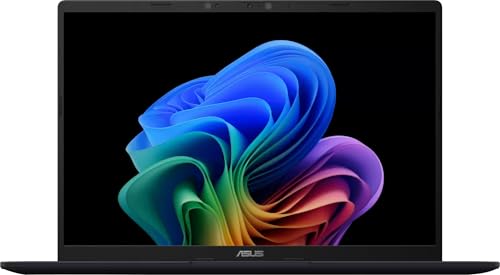
- Snapdragon X processor with 16GB RAM
- 512GB SSD and Copilot+ PC features
- Listed battery life of up to 29 hours
Best For: Windows productivity users and students
Best Budget Quiet Laptop

- 12GB RAM and 256GB SSD
- 15.6-inch FHD IPS anti-glare display
- Broad built-in port selection
Best For: Budget-conscious students and home users
Best Large-Screen Quiet Laptop

- 16-inch WUXGA IPS display
- 16GB RAM with 512GB SSD
- Snapdragon X with integrated NPU
Best For: Large-screen productivity and multitasking
Best Fanless Quiet Laptop
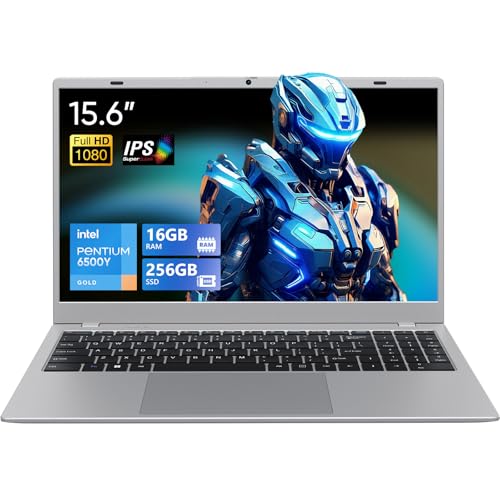
- Fanless silent design
- 16GB RAM and 256GB SSD
- Office 2024 included
Best For: Silent office, study, and library use
Best Quiet Laptop for a Big Display

- 17.3-inch Full HD display
- 512GB SSD with Intel Core 3
- Numeric keypad and fast charging
Best For: Large-screen home and office productivity
Best Quiet Budget Laptop

- 16GB RAM and 512GB SSD
- Advertised ultra-quiet design
- Windows 11 Pro with Microsoft Office
Best For: Students, office work, and everyday multitasking
Best Quiet Laptop for Business

- Six-core Intel Core 3 processor
- 15.6-inch Full HD IPS display
- Camera shutter and versatile ports
Best For: Business, school, and home-office productivity
Best Quiet Laptop for Students

- 16GB RAM and 512GB SSD
- Full HD anti-glare IPS display
- Microsoft Office included
Best For: Schoolwork, Office apps, and casual everyday use
Best Premium Quiet Laptop – Apple MacBook Air 13-inch with M5
The 2026 MacBook Air is a strong quiet laptops pick for users who want a portable computer with substantial performance, long battery life, and a polished display. Its M5 chip, 16GB unified memory, 512GB SSD, and fanless Air design make it well suited to demanding schoolwork, multitasking, and creative workflows.
Best For: College students, creative users, and Apple households needing a lightweight everyday laptop.
Pros:
- M5 chip, 16GB unified memory, and 512GB SSD support demanding multitasking.
- Up to 18 hours of battery life can cover a full day away from an outlet.
- Liquid Retina display, 12MP Center Stage camera, and four-speaker audio improve everyday use.
- Compact 2.71-pound design includes Thunderbolt 4, MagSafe, Wi-Fi 7, and Touch ID.
Cons:
- macOS may require adjustment for users accustomed to Windows or ChromeOS.
- Its port selection is limited compared with larger laptops, so some setups may need adapters.
Choose this MacBook Air when quiet operation, premium portability, and sustained all-day usability matter more than having a large screen or extensive built-in connectivity.
Best Quiet Chromebook for Students – Lenovo Chromebook m 14-inch
The Lenovo Chromebook m 14-inch is a practical quiet laptops option for browsing, schoolwork, video calls, and entertainment. ChromeOS starts in under 10 seconds, while the MediaTek Kompanio 540 processor, 8GB RAM, and 14-inch WUXGA display cover common everyday tasks.
Best For: Students and casual users who want a lightweight Chromebook with a larger high-resolution screen.
Pros:
- 14-inch 1920×1200 display provides a spacious 16:10 workspace.
- Under-3-pound design and military-grade durability suit everyday carrying.
- USB-C, USB-A, and HDMI ports support peripherals and external displays without a dongle.
- Physical webcam shutter adds a simple privacy safeguard.
Cons:
- 64GB UFS storage is modest for users with large local files.
- ChromeOS may not support every Windows or macOS application.
- The display is rated at 220 nits, which may be less suitable for bright environments.
This Lenovo makes sense for cloud-focused work and school use, especially if you value easy portability, quick startup, built-in ports, and a privacy shutter over high-end local software support.
Best Quiet Windows Laptop – ASUS Vivobook 14 Snapdragon X
The ASUS Vivobook 14 is a compelling quiet laptops choice for Windows users who need efficient performance and strong battery claims in a compact format. Its Snapdragon X processor, 16GB RAM, 512GB SSD, and Copilot+ PC features support productivity, web work, streaming, and compatible AI-assisted tasks.
Best For: Windows users, students, and professionals who prioritize battery life and modern AI features.
Pros:
- Snapdragon X processor with 16GB RAM supports smooth multitasking.
- 512GB SSD provides quick boot times and useful application and file capacity.
- 14-inch 1920×1200 anti-glare display offers a practical productivity layout.
- Listed battery life reaches up to 29 hours, with Windows Hello and a one-year warranty.
Cons:
- ARM-based Windows compatibility can vary for some legacy applications and peripherals.
- The supplied details list a 5-pound weight, which is heavier than many 14-inch ultraportables.
- Integrated Qualcomm Adreno graphics are aimed at everyday use rather than demanding gaming.
For a Windows buyer seeking quiet, efficient everyday computing, this Vivobook combines ample memory and storage with Copilot+ capabilities, though software compatibility and its listed weight deserve consideration.
Best Budget Quiet Laptop – 15.6-inch Pentium Gold Laptop
This 15.6-inch laptop is a budget-friendly quiet laptops candidate for basic productivity, streaming, and school tasks. Its low-power Pentium Gold 6500Y, 12GB RAM, 256GB SSD, and FHD IPS display provide a straightforward setup for web browsing, documents, and video playback.
Best For: Budget-conscious students, home users, and shoppers who want a large screen and useful built-in connectivity.
Pros:
- 12GB RAM and a 256GB SSD are more capable than basic 4GB or 8GB entry-level configurations.
- 15.6-inch FHD IPS anti-glare display offers wide viewing angles and clear 1080p visuals.
- Ports include USB 3.2, USB 2.0, USB-C, HDMI, a TF card slot, and a headphone jack.
- At 3.5 pounds and 0.8 inches thin, it balances a larger display with portability.
Cons:
- Listed battery life is up to 5 hours, below many newer ultraportable laptops.
- Pentium Gold performance is best suited to everyday tasks rather than demanding creative work.
- Windows 11 storage capacity may feel limited for large media libraries or software collections.
This model is worth considering when price, screen size, and port variety are more important than premium speed or all-day battery endurance. Its low-power processor may also suit buyers seeking a quieter basic computer.
Best Large-Screen Quiet Laptop – ASUS Vivobook 16 Snapdragon X
If you want a quiet laptop with a spacious display and strong everyday multitasking, the ASUS Vivobook 16 combines a fan-conscious Snapdragon X platform with 16GB of memory and a 512GB SSD. Its 16-inch WUXGA IPS display also offers a taller 16:10 workspace for documents, browsing, and media.
Best For: Students, home users, and professionals who want a large display, generous memory, and Windows 11 productivity in a portable notebook.
Pros:
- 16-inch 1920×1200 display with 300-nit brightness and a 60Hz refresh rate
- 16GB RAM and 512GB PCIe 4.0 SSD support smooth multitasking and ample storage
- Snapdragon X processor includes an integrated NPU for AI-focused tasks
- Four USB ports, HDMI, Wi-Fi, and Bluetooth provide flexible connectivity
Cons:
- Integrated Adreno graphics are intended for everyday visuals rather than dedicated-GPU workloads
- The display is non-touch and lists a 45% color gamut
- At 3.9 pounds, it is less travel-friendly than smaller laptops
This Vivobook is a well-rounded choice when quiet operation, screen space, and multitasking matter more than gaming performance or a premium-color display. The 16GB configuration and 512GB SSD give it a practical advantage for everyday work.
Best Fanless Quiet Laptop – UOWAMOU 15.6-Inch
The UOWAMOU is a quiet laptop built around a fanless silent design, making it especially suitable for offices, libraries, and shared spaces. Its 16GB of RAM, 256GB SSD, included Office 2024 software, and full-size keyboard make it ready for basic work and study tasks.
Best For: Students, office users, and anyone who prioritizes silent operation, straightforward productivity, and a built-in numeric keypad.
Pros:
- Fanless design is suited to quiet environments such as libraries and offices
- 16GB RAM and a 256GB SSD support responsive everyday use
- 15.6-inch 1080p IPS screen provides wide 178-degree viewing angles
- Office 2024 is pre-installed for immediate productivity use
Cons:
- 256GB of storage provides less room than the 512GB alternatives
- Pentium Gold performance is aimed at daily tasks rather than demanding workloads
- The 0.3MP webcam is basic, although it includes a privacy cover
For buyers who value silence above all else, the fanless design is this laptop’s defining feature. It is best matched with documents, web browsing, meetings, and schoolwork rather than intensive creative or performance-heavy applications.
Best Quiet Laptop for a Big Display – ASUS Vivobook 17
For shoppers who want a quiet laptop with maximum screen space for everyday work and entertainment, the ASUS Vivobook 17 offers a 17.3-inch Full HD NanoEdge display. It adds an Intel Core 3 processor, a 512GB SSD, a numeric keypad, and fast charging in a practical Windows 11 design.
Best For: Home users and office workers who prefer a large screen, comfortable data entry, and a full-size laptop setup.
Pros:
- 17.3-inch 1920×1080 display offers ample room for documents and media
- 512GB SSD provides useful storage for everyday files and applications
- Numeric keypad, backlit keyboard, and eye-care certification support comfortable use
- Fast charging can reach 60% in as little as 49 minutes, according to the supplied notes
Cons:
- 8GB RAM is less generous than the 16GB configurations in the other listed models
- The larger 17.3-inch chassis is less convenient for frequent travel
- Integrated graphics are better suited to everyday use than demanding gaming or graphics work
This Vivobook 17 is a sensible pick if a large workspace and desktop-style usability matter most. Its 8GB memory is adequate for routine tasks, while the 512GB SSD, numeric keypad, and fast charging add practical convenience.
Best Quiet Budget Laptop – HP 15.6-inch N100 Laptop
The HP 15.6-inch laptop is a practical option for shoppers seeking quiet laptops for everyday business, student, and home use. Its Intel N100 processor, 16GB of RAM, 512GB SSD, and stated ultra-quiet design provide a sensible setup for browsing, documents, streaming, and multitasking.
Best For: Students, office work, web browsing, and users who want ample memory and storage in a full-size laptop.
Pros:
- 16GB RAM and a 512GB SSD support everyday multitasking and quick storage access.
- Full-size keyboard includes a numeric keypad for spreadsheet and data-entry work.
- Anti-glare 15.6-inch display, Windows 11 Pro, and included Microsoft Office support productivity.
- Advertised battery life of up to 11 hours and an ultra-quiet design suit extended use.
Cons:
- The 1366 x 768 native resolution is less sharp than a Full HD display.
- Intel UHD integrated graphics and the N100 processor are intended for everyday tasks rather than demanding workloads.
- At approximately 5 pounds, it is not especially lightweight for frequent travel.
This HP is a well-equipped everyday choice among quiet laptops, especially if memory, storage, and included productivity software matter more than display sharpness or high-performance computing.
Best Quiet Laptop for Business – ASUS Vivobook 15
The ASUS Vivobook 15 is a strong fit for shoppers comparing quiet laptops for business and study. Its six-core Intel Core 3 100U processor, Full HD IPS display, privacy shutter, numeric keypad, and broad port selection support productive daily use.
Best For: Business users, students, and home-office setups that need a sharp display, modern connectivity, and a responsive everyday platform.
Pros:
- Intel Core 3 100U offers six cores, eight threads, and boost speeds up to 4.7GHz.
- 15.6-inch 1920 x 1080 IPS display provides sharper text and images than an HD panel.
- Includes USB-C, multiple USB-A ports, HDMI, Bluetooth, and a numeric keypad.
- Camera privacy shutter adds a useful privacy feature for video calls.
Cons:
- The listed configuration has 8GB of RAM, which is less generous than some competing models.
- At about 6 pounds, it is relatively heavy for portable use.
- The included storage description combines a 256GB SSD with a 512GB docking set, so buyers should verify exactly what is included.
With its capable processor and Full HD IPS screen, the Vivobook 15 is a compelling quiet-laptop option for productivity, though its weight and bundled-storage description deserve attention before purchase.
Best Quiet Laptop for Students – Lenovo V15 Business Laptop
The Lenovo V15 is a sensible choice for shoppers seeking quiet laptops for school, office tasks, and casual use. It pairs a stated ultra-quiet design with 16GB of RAM, a 512GB SSD, Microsoft Office, and a Full HD anti-glare IPS display.
Best For: Students and casual users who need Office applications, clear Full HD visuals, and practical wired and wireless connectivity.
Pros:
- 16GB RAM and a 512GB PCIe SSD provide useful capacity for everyday files and applications.
- Full HD 1920 x 1080 anti-glare IPS display offers clear visuals and wide viewing angles.
- Microsoft Office is included for Word, Excel, PowerPoint, Outlook, and OneNote.
- Connectivity includes USB-C, USB-A, HDMI, Ethernet, Wi-Fi, and Bluetooth.
Cons:
- The Intel Celeron N4500 has two cores and is better suited to basic tasks than demanding workloads.
- The Windows 11 Home configuration does not match the Windows 11 Pro description in the product title.
- The display is listed as non-touch, despite a touch-screen type appearing in the specifications.
The Lenovo V15 emphasizes value and practicality: it is a good quiet-laptop candidate for basic productivity and coursework, provided buyers confirm the operating system and display details.
How We Picked These Quiet Laptops
We focused on laptops with efficient processors, modest heat output, solid battery-oriented designs, and configurations suited to everyday workloads. Since noise can vary with software, room temperature, workload, and fan profiles, no laptop is silent in every situation. Instead, these selections emphasize designs that are more likely to remain unobtrusive during browsing, writing, streaming, office work, and video calls.
We also considered practical specifications, including RAM, SSD capacity, display quality, operating system, portability, and expected use. Models range from lightweight Apple and Chromebook options to larger Windows laptops for home offices and multitasking.
Quick Comparison
| Best For | What to Look For | Recommended Type |
|---|---|---|
| Quiet travel and study | Efficient chip, long battery life, compact design | 13- or 14-inch laptop |
| Web apps and schoolwork | Simple operating system, 8GB RAM, dependable Wi-Fi | Chromebook |
| Windows productivity | 16GB RAM, 512GB SSD, modern processor | 14- or 15.6-inch laptop |
| Large-screen home use | 17-inch display, comfortable keyboard, adequate cooling | 17.3-inch laptop |
Key Buying Factors for Quiet Laptops
Processor and Cooling
Efficient chips from Apple, Qualcomm, Intel, and MediaTek can handle common tasks with less heat than high-performance gaming or workstation processors. Fanless designs may be especially quiet, while actively cooled laptops should offer sensible fan control and adequate ventilation.
Memory and Storage
Choose at least 8GB of RAM for basic browsing and documents, but 16GB is a better target for heavy multitasking, larger spreadsheets, and longer useful life. A 512GB SSD provides a practical balance of speed and capacity; 64GB Chromebook storage is best for users who rely on cloud services.
Display, Size, and Portability
A 13- or 14-inch model is easier to carry and often uses less power. A 15.6- or 16-inch screen gives more workspace, while a 17.3-inch display is more comfortable for stationary use. Look for IPS panels and a resolution of at least 1920×1080 or equivalent WUXGA for clearer text.
Operating System and Compatibility
macOS is a strong fit for Apple users and creative workflows, ChromeOS works well for browser-based tasks, and Windows offers the broadest software compatibility. Check application, peripheral, and Microsoft Office requirements before buying.
Who Should Buy Which Quiet Laptops?
Choose the MacBook Air for a premium, portable experience with efficient performance and a polished ecosystem. A Lenovo Chromebook is a sensible low-maintenance choice for school, browsing, and cloud-based work. Snapdragon-powered ASUS Vivobook models suit buyers who want quiet Windows operation, long battery potential, and modern AI-PC features.
For affordable everyday computing, the Pentium-based 15.6-inch options can handle documents, streaming, email, and web browsing, though they are not ideal for demanding editing or gaming. Choose the ASUS Vivobook 17 when a large screen matters more than portability. The HP and Lenovo business-oriented models are practical choices for office users who want generous memory and SSD storage, while the ASUS Vivobook 15 offers useful Windows Pro functionality and expanded storage for a home-office setup.