A reliable network switch can add wired connections, reduce congestion, and make it easier to connect computers, access points, cameras, streaming devices, and other Ethernet hardware.
This roundup compares 10 network switches across compact five-port models, larger desktop switches, PoE options, managed features, and faster 2.5Gbps connectivity.
Best 10 Network Switches Picks for 2026
Best Compact Unmanaged Switch
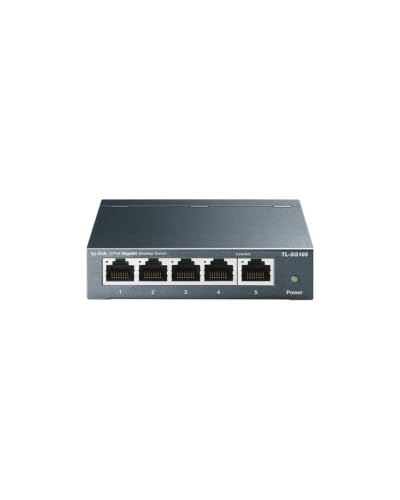
- Five Gigabit auto-sensing ports
- Fanless metal desktop or wall-mount design
- QoS and IGMP Snooping support
Best For: Quiet plug-and-play wired network expansion
Best Easy-Managed Switch

- Five Gigabit Ethernet ports
- VLAN, QoS, monitoring, and security controls
- Silent, energy-efficient metal design
Best For: Small networks needing basic management features
Best PoE Network Switch

- Four PoE+ ports with a 65W budget
- One additional non-PoE Gigabit port
- Fanless plug-and-play metal enclosure
Best For: Powering compatible PoE network devices
Best Simple Home Network Switch

- Five Gigabit auto-negotiating ports
- Plug-and-play unmanaged operation
- Silent metal desktop or wall-mount design
Best For: Straightforward home and small-office connectivity
Best Smart-Managed Pick
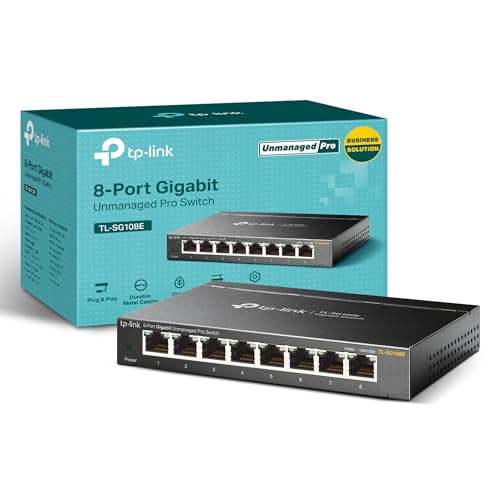
- Eight Gigabit ports
- VLAN, QoS, and monitoring features
- Metal desktop or wall-mount design
Best For: Small networks needing configurable traffic management
Best Simple Plug-and-Play Pick

- Eight 1Gbps Ethernet ports
- No software or configuration needed
- Silent fanless metal design
Best For: Basic home and office network expansion
Best Multi-Gigabit Pick

- Eight 2.5Gbps ports
- Up to 40Gbps switching capacity
- Silent fanless operation
Best For: Multi-Gigabit home offices, NAS, gaming, and Wi-Fi 6 setups
High-Capacity Choice

- 24 auto-negotiating gigabit ports
- Fanless and energy-efficient operation
- Desktop, wall, or rack mounting
Best For: Large wired networks needing many plug-and-play ports
Quiet Expansion Pick
TP-Link 16-Port Gigabit Switch
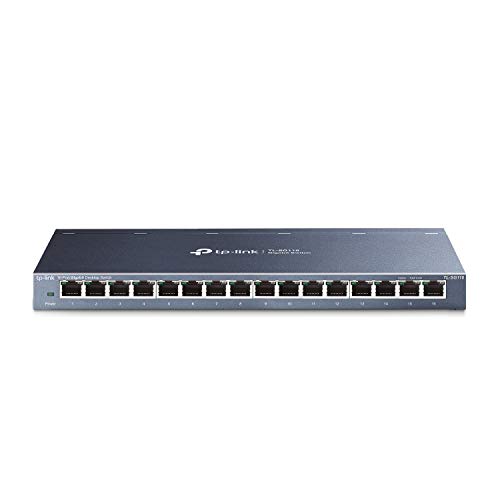
- 16 gigabit ports with Auto MDI/MDIX
- Fanless metal design
- QoS and IGMP Snooping support
Best For: Quiet home or office network expansion with traffic optimization
Compact Home Pick

- Eight gigabit Ethernet ports
- Quiet fanless metal construction
- Automatic energy-saving operation
Best For: Small, quiet home-office and entertainment setups
Best Compact Unmanaged Switch – TP-Link TL-SG105
The TP-Link TL-SG105 is a straightforward choice for expanding a wired network with five Gigabit Ethernet ports. Its plug-and-play setup, fanless operation, metal casing, and desktop or wall-mounting options make it practical for home offices, entertainment areas, and small workspaces.
Best For: Users who want a quiet, compact network switch with reliable Gigabit connectivity and no software configuration.
Pros:
- Five 10/100/1000Mbps ports support auto-negotiation and Auto MDI/MDIX.
- Fanless metal design operates quietly and supports desktop or wall mounting.
- QoS and IGMP Snooping can help prioritize voice, video, and other traffic.
- Energy-efficient operation can reduce power consumption.
Cons:
- Unmanaged design does not provide configurable VLAN or port-management controls.
- Only five ports are available for expansion.
The TL-SG105 balances simple installation with useful traffic-handling features. It is a sensible pick when you need extra wired ports without adding management complexity.
Best Easy-Managed Switch – NETGEAR GS305E
The NETGEAR GS305E adds basic management capabilities to a five-port Gigabit network switch. Its Easy Smart Managed interface supports VLAN configuration, traffic prioritization, port monitoring, and network security controls, while the fanless metal enclosure suits quiet desktop or wall-mounted installations.
Best For: Small businesses and home users who need more control than an unmanaged switch provides.
Pros:
- Five 1Gbps auto-negotiating Ethernet ports work with existing Cat5e or Cat6 cables.
- Software interface supports VLANs, QoS, port monitoring, and security management.
- Fanless design provides silent operation and IEEE 802.3az energy efficiency.
- Compact metal housing supports desktop or wall mounting.
Cons:
- Management features require more setup than a plug-and-play unmanaged switch.
- Listed for use in the U.S. and Canada only.
The GS305E is a strong middle ground for users who want an approachable managed experience without moving to a larger switch. Its five-port layout is best for smaller wired networks.
Best PoE Network Switch – TP-Link TL-SG1005P
The TP-Link TL-SG1005P is a five-port Gigabit network switch designed to power compatible devices over Ethernet. Four ports support 802.3af/at PoE+ with up to 30W per port and a 65W total budget, while the fifth port provides a non-PoE Gigabit connection.
Best For: Installations using compatible PoE devices such as access points, cameras, or other powered network hardware.
Pros:
- Four PoE+ ports provide up to 30W per port and 65W total.
- All five ports support 10/100/1000Mbps connectivity.
- Plug-and-play setup requires no software installation or configuration.
- Fanless metal case supports quiet operation and desktop or wall mounting.
Cons:
- PoE works with IEEE 802.3af/at-compliant powered devices.
- Only one of the five ports is non-PoE.
- Power budget is shared across the PoE ports.
The TL-SG1005P is the practical choice when a network switch must deliver both data and power. Its unmanaged design keeps deployment simple, while QoS and IGMP Snooping add useful traffic-handling support.
Best Simple Home Network Switch – NETGEAR GS305
The NETGEAR GS305 is a basic five-port Gigabit network switch for adding wired connections without configuration. Its auto-negotiating ports, plug-and-play setup, fanless operation, and compact metal housing make it well suited to home networks, offices, and other small installations.
Best For: Users who want simple, quiet Gigabit expansion for a home or small office network.
Pros:
- Five 1Gbps ports support auto-negotiation with Cat5e or Cat6 cables.
- Unmanaged plug-and-play design requires no software or configuration.
- Fanless operation is silent and IEEE 802.3az helps improve energy efficiency.
- Metal enclosure supports desktop or wall mounting.
Cons:
- No configurable VLAN, QoS, or port-monitoring features are listed.
- Limited to five ports.
- Listed for use in the U.S. and Canada only.
The GS305 keeps wired networking uncomplicated. Choose it when you need dependable Gigabit ports and silent operation, but do not need managed-network controls or PoE.
Best Smart-Managed Pick – TP-Link TL-SG108E
The TP-Link TL-SG108E is a practical choice among network switches when you need more than basic connectivity. Its eight Gigabit ports, web or software management, VLAN support, QoS, and monitoring tools make it suitable for organizing and fine-tuning a small network.
Best For: Home offices, small businesses, and users who want managed network features in a compact desktop or wall-mounted switch.
Pros:
- Eight 10/100/1000Mbps Gigabit Ethernet ports
- Supports VLANs, QoS, IGMP snooping, link aggregation, and port mirroring
- Metal housing with desktop or wall-mount installation options
- Includes a three-year warranty and technical support
Cons:
- Management features require configuration through web access or software
- Limited to Gigabit speeds rather than multi-Gigabit connectivity
Choose this model if traffic control and network monitoring matter as much as adding ports. It offers a useful feature set without moving to a larger switch.
Best Simple Plug-and-Play Pick – NETGEAR GS308
The NETGEAR GS308 keeps network switches straightforward: connect the included power adapter and Ethernet cables, and the eight Gigabit ports are ready to use. Auto-negotiation, a fanless design, and a compact metal case make it a convenient fit for basic home or office expansion.
Best For: Users who want a quiet, uncomplicated Ethernet switch for computers, servers, and other network hardware.
Pros:
- Eight auto-negotiating 1Gbps Ethernet ports
- Plug-and-play setup with no software or configuration required
- Fanless, silent operation with IEEE 802.3az energy efficiency
- Supports desktop or wall-mount placement
Cons:
- Unmanaged design provides no VLAN, QoS, or monitoring controls
- Specified for use in the U.S. and Canada only
This is the better fit when reliability and simplicity take priority over advanced controls. Its unmanaged design minimizes setup, while the metal enclosure and fanless operation suit visible workspaces.
Best Multi-Gigabit Pick – TP-Link TL-SG108S-M2
The TP-Link TL-SG108S-M2 stands out among network switches with eight 2.5Gbps ports and up to 40Gbps of switching capacity. Auto-negotiation supports 100Mbps, 1Gbps, and 2.5Gbps connections, making it a strong upgrade for compatible Wi-Fi 6 access points, NAS devices, workstations, and gaming systems.
Best For: Multi-Gigabit home networks, LAN parties, small offices, and users transferring large files between compatible devices.
Pros:
- Eight 2.5Gbps Ethernet ports
- Up to 40Gbps switching capacity
- Automatic 100Mbps, 1Gbps, and 2.5Gbps speed negotiation
- Fanless design for silent operation
Cons:
- Unmanaged, so it lacks configurable VLAN and traffic-management features
- Benefits depend on having compatible multi-Gigabit devices
Consider this switch if your network hardware can use speeds beyond Gigabit. It delivers a simple path to 2.5Gbps performance and can work with existing Cat5e wiring according to the supplied specifications.
High-Capacity Choice – 24-Port Gigabit Switch
For expanding a wired network with many connected devices, the NETGEAR GS324 provides 24 gigabit Ethernet ports in a straightforward unmanaged design. Its auto-negotiating ports work with existing Cat5e or Cat6 cables, making it a practical option for offices, entertainment setups, and other locations that need extra connections.
Best For: Homes, offices, or installations that need up to 24 wired gigabit connections with flexible placement.
Pros:
- Offers 24 1.0Gbps RJ45 ports with auto-negotiation.
- Plug-and-play setup requires no software or configuration.
- Fanless, energy-efficient design supports quiet operation.
- Can be placed on a desktop, wall-mounted, or rack-mounted.
Cons:
- As an unmanaged switch, it does not provide configurable network management.
- Listed for use in the U.S. and Canada only.
The GS324 is a strong fit when port count and installation flexibility matter more than advanced controls. Its metal housing, silent operation, and included mounting options make it especially practical for a larger wired network.
Quiet Expansion Pick – TP-Link 16-Port Gigabit Switch
The TP-Link TL-SG116 is a practical network switch for expanding a wired setup by 16 connections. It combines plug-and-play installation with a sturdy metal case, fanless operation, and traffic-optimization features for users who want simple deployment without giving up basic prioritization tools.
Best For: Small offices, desktop setups, and home networks that need 16 gigabit ports and quieter operation.
Pros:
- Provides 16 10/100/1000Mbps RJ45 ports with auto-negotiation and Auto MDI/MDIX.
- Fanless design operates quietly.
- Supports port-based 802.1p/DSCP QoS and IGMP Snooping for traffic optimization.
- Metal case supports desktop or wall mounting.
Cons:
- Unmanaged design limits broader configuration and monitoring options.
- Its 16-port capacity may be excessive for smaller setups but insufficient for larger installations.
Choose the TL-SG116 when you need more ports than a compact switch offers and value quiet, reliable expansion. QoS and IGMP Snooping add useful traffic-handling features while keeping installation simple.
Compact Home Pick – TP-Link 8-Port Gigabit Switch
The TP-Link TL-SG108 is a compact network switch for adding eight wired gigabit connections without complicated setup. Its fanless metal construction, shielded ports, and automatic energy adjustment make it well suited to home offices, bedrooms, conference rooms, and other space- or noise-sensitive areas.
Best For: Smaller wired networks connecting computers, printers, gaming consoles, and similar Ethernet devices.
Pros:
- Provides eight 10/100/1000Mbps RJ45 ports.
- Plug-and-play operation requires no configuration.
- Fanless metal housing supports quiet operation and heat dissipation.
- Adjusts power consumption based on link status and cable length.
Cons:
- Eight ports may not be enough for growing networks.
- Unmanaged operation does not offer advanced network configuration.
The TL-SG108 is a sensible choice for straightforward wired expansion in a small footprint. It delivers the essential gigabit connectivity and quiet, sturdy construction many home and small-office setups need.
How We Picked These Network Switches
We selected models that cover the most common home, small-office, entertainment, and surveillance networking needs. Our comparison considers port count, Ethernet speed, management features, PoE support, physical design, installation flexibility, and overall practicality. The selection includes unmanaged switches for simple plug-and-play expansion, smart managed models for VLAN and traffic controls, and a multi-gig option for newer high-speed networks.
We also prioritized established brands and designs suited to everyday use, including fanless metal enclosures, shielded ports, desktop placement, and wall-mount flexibility where available. Before buying, verify the product’s exact specifications and confirm that its power, speed, and management features match your existing equipment.
Quick Comparison
| Best For | Recommended Type | What to Look For |
|---|---|---|
| Adding a few wired devices | 5-port unmanaged switch | Gigabit ports and compact, fanless design |
| Traffic controls or VLANs | Easy smart managed switch | Web management, QoS, and VLAN support |
| Security cameras or access points | PoE switch | PoE+ compatibility and sufficient power budget |
| Several computers or devices | 8- or 16-port switch | Extra capacity and reliable metal enclosure |
| Large wired installations | 24-port switch | High port density and dependable cooling |
| Modern high-speed storage or desktops | 2.5Gbps multi-gig switch | Multi-gig ports and compatible cabling |
Key Buying Factors for Network Switches
Port Count and Expansion
Choose more ports than you currently need if you expect to add devices. A five-port switch works well for a small cluster, while eight, 16, or 24 ports provide more room for offices, media setups, and growing networks.
Speed and Compatibility
Gigabit Ethernet is suitable for most wired devices and internet connections. A 2.5Gbps switch can improve transfers between compatible computers, servers, and network-attached storage, but every relevant device and cable must support the faster link for the full benefit.
Unmanaged, Smart Managed, or PoE
Unmanaged switches require virtually no setup and are the simplest choice. Smart managed models add tools such as VLANs, QoS, and monitoring. PoE switches can send power and data over one Ethernet cable, making them useful for compatible cameras, phones, and wireless access points. Check both the PoE standard and total wattage budget.
Placement and Build
Fanless designs are quiet for desks and media cabinets, while sturdy metal cases can improve durability and heat handling. Confirm whether the switch supports wall mounting, and leave room for ventilation around the enclosure and cables.
Who Should Buy Which Network Switches?
Choose a compact five-port unmanaged model for a workstation, television area, or small home office. Select an eight-port switch when you want straightforward expansion with room for several additional devices. A 16- or 24-port model is better for structured wiring, busy offices, or installations where replacing a smaller switch later would be inconvenient.
Buy a smart managed switch if you need network segmentation, traffic prioritization, or more visibility into connected devices. Choose the PoE model for compatible powered equipment, and choose the 2.5Gbps option when your computers, storage system, and cabling can use multi-gig speeds. For most basic setups, an unmanaged Gigabit switch remains the best balance of simplicity, cost, and dependable performance.